- Vodafone Community
- Internet & Festnetz
- Kabel: Tarife & Rechnung
- Bridge Mode option not available in myKable Intern...
- RSS-Feed abonnieren
- Thema als neu kennzeichnen
- Thema als gelesen kennzeichnen
- Diesen Thema für aktuellen Benutzer floaten
- Lesezeichen
- Abonnieren
- Stummschalten
- Drucker-Anzeigeseite
Frage
Antwort
Lösung


- Als neu kennzeichnen
- Lesezeichen
- Abonnieren
- Stummschalten
- RSS-Feed abonnieren
- Kennzeichnen
- Anstößigen Inhalt melden
am 01.11.2021 16:58
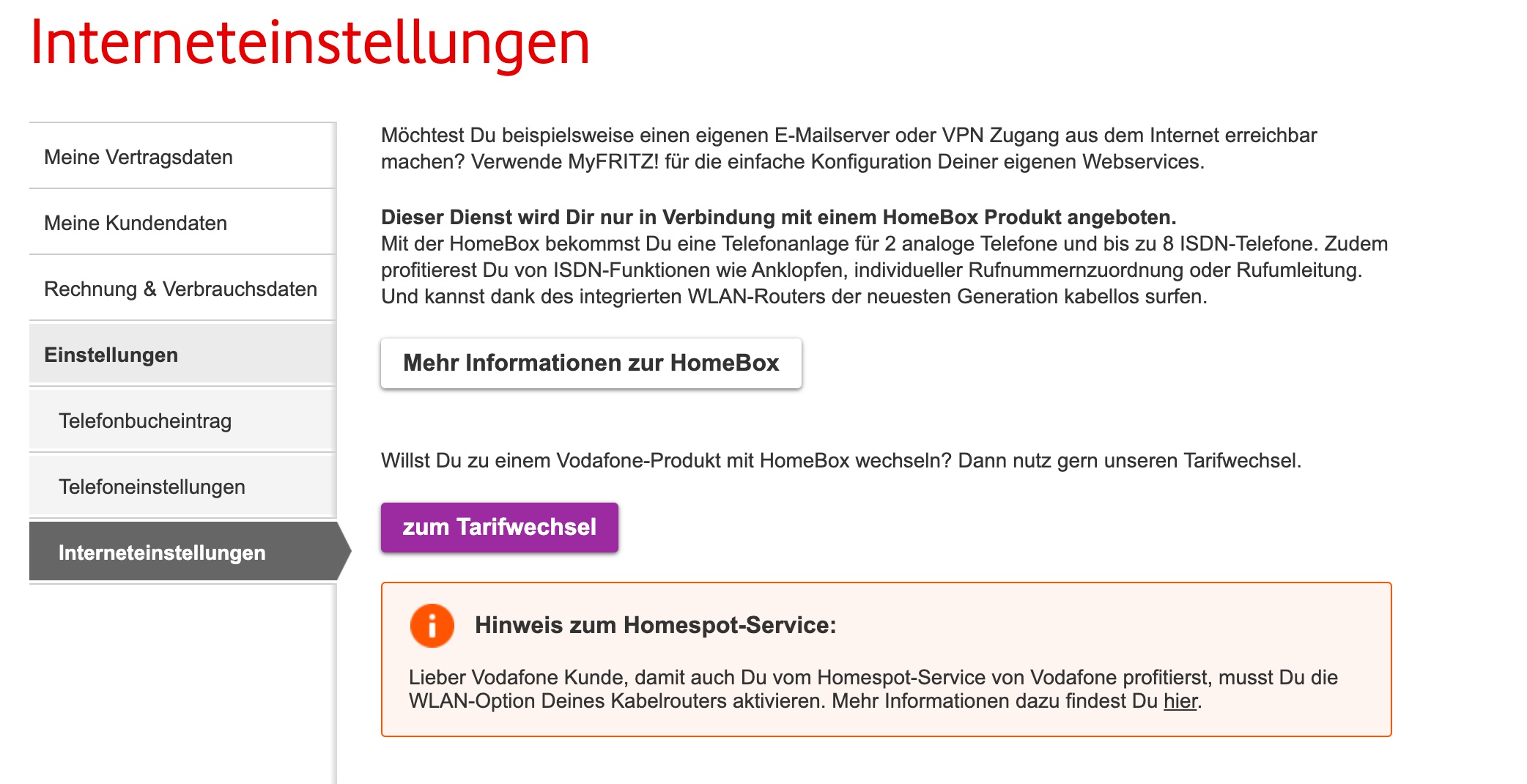
I'm a new customer and I'd like to switch to Bridge mode, but when I go to the Interneteinstellungen, there is no option to setup the bridge mode, only a description about "HomeBox".
I have friends with the exact same contract, and they have this option enabled. Why is it not shown to me?
Please, activate the bridge mode to my account. No questions are needed, just activate it.
I have a firewall/router ready, just waiting for it.
Thanks
Elton


- Als neu kennzeichnen
- Lesezeichen
- Abonnieren
- Stummschalten
- RSS-Feed abonnieren
- Kennzeichnen
- Anstößigen Inhalt melden
am 03.11.2021 19:41
Hello eltonk,
unfortunately, a few questions are needed. Do you have a router or a Fritzbox? There is no bridge mode for the latter. For how long is your device connected? It may take up to 48 hours until all settings are enabled. In which federal state do you live?
Regards,
Claudia
- Als neu kennzeichnen
- Lesezeichen
- Abonnieren
- Stummschalten
- RSS-Feed abonnieren
- Kennzeichnen
- Anstößigen Inhalt melden
am 08.11.2021 15:50
Hi Claudia,
I have a Sophos-XG Router/Firewall connected 24/7 that I want to use. Please, activate the Bridge mode to the modem.
I'm trying to do myself since 2 weeks, but I only can see the attached option.
I'm from Berlin.
Please! Swich to Bridge Mode!
- Als neu kennzeichnen
- Lesezeichen
- Abonnieren
- Stummschalten
- RSS-Feed abonnieren
- Kennzeichnen
- Anstößigen Inhalt melden
am 08.11.2021 15:53
Please see attached screenshot

- Als neu kennzeichnen
- Lesezeichen
- Abonnieren
- Stummschalten
- RSS-Feed abonnieren
- Kennzeichnen
- Anstößigen Inhalt melden
am 12.11.2021 07:42
Hello eltonk,
if the mentioned router is used after the Vodafone router and not as an own device directly on the antenna socket, I can have a look at that. Please send me a private message that contains your customer number, the name and birth date of the contract owner and the complete address. Reply here again after you sent the PM.
Kind regards,
Claudia

